

Introduction to the Sideways or Trend Indicator
Trending markets provide high probability trend following opportunities. This is why many new traders trade trend following strategies exclusively.
The problem is that many new traders also cannot confidently identify trending markets.
The Sideways or Trend indicator is a tool which traders can use that can help new traders objectively identify trending markets.
What is the Sideways or Trend Indicator?
The Sideways or Trend indicator is a custom technical indicator which automatically identifies whether a market or currency pair is currently trending or moving sideways. It also identifies whether the market is moving up or moving down.
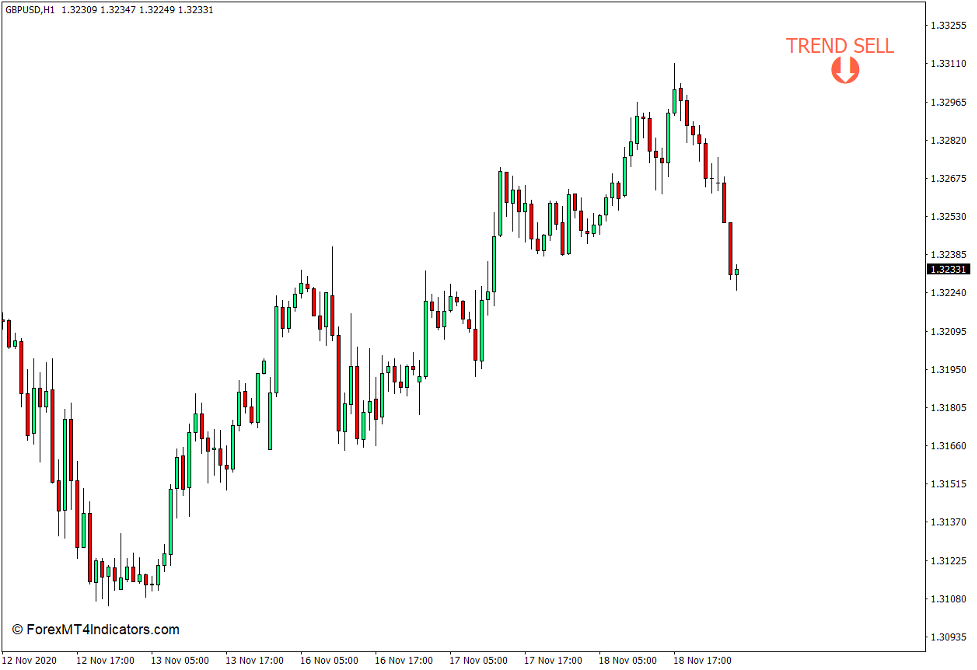
If the market is trending, then it will place a “TREND” label on the upper right corner of the price chart along with an arrow pointing the direction of the trend.
If it is moving sideways, then it will label the chart as “SIDEWAYS” along with a sad face emoticon.
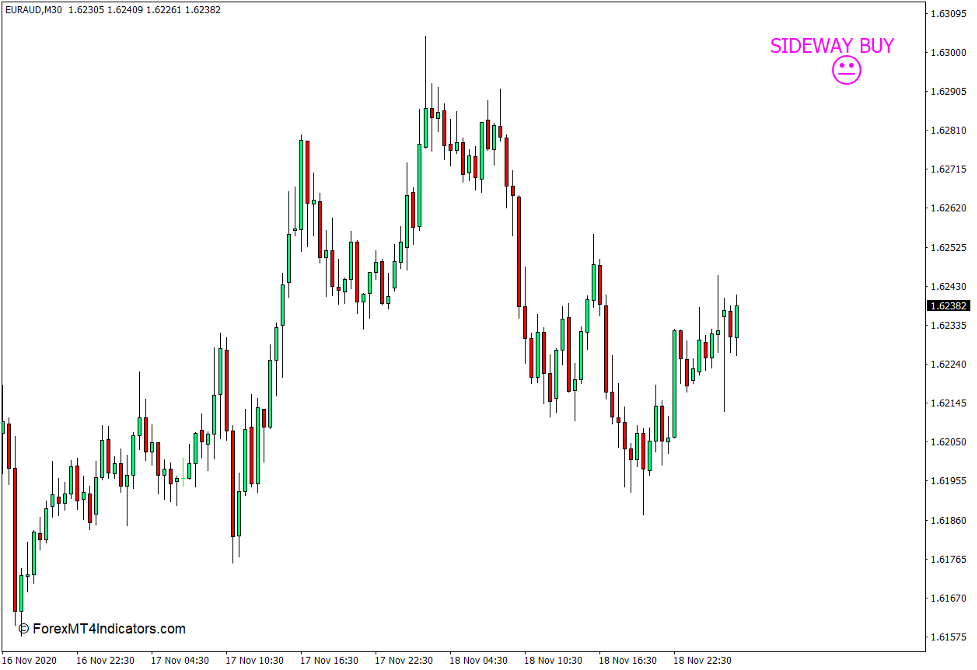
This indicator would also identify the direction of the market and would indicate “BUY” or “SELL” on the upper right corner, along with the TREND or SIDEWAYS label.
How the Sideways or Trend Indicator Works?
The Sideways or Trend indicator has an underlying Average Directional Movement Index (ADX) indicator within its script. ADX is a trend following indicator which can identify trending or non-trending markets, as well as trend direction.
The Sideways or Trend indicator would identify a market as trending whenever its underlying ADX line is above 25, and sideways whenever the ADX line is below 25.
The ADX indicator also has Directional Movement Index lines, DMI+ and DMI-. The Sideways or Trend indicator would indicate BUY whenever the DMI+ line is above the DMI- line and SELL whenever the DMI- line is above the DMI+ line.

How to use the Sideways or Trend Indicator for MT4
The Sideways or Trend indicator allows traders to modify the number of periods in which its underlying ADX indicator is based on. This can be modified on the “period_adx” variable within the indicator settings.
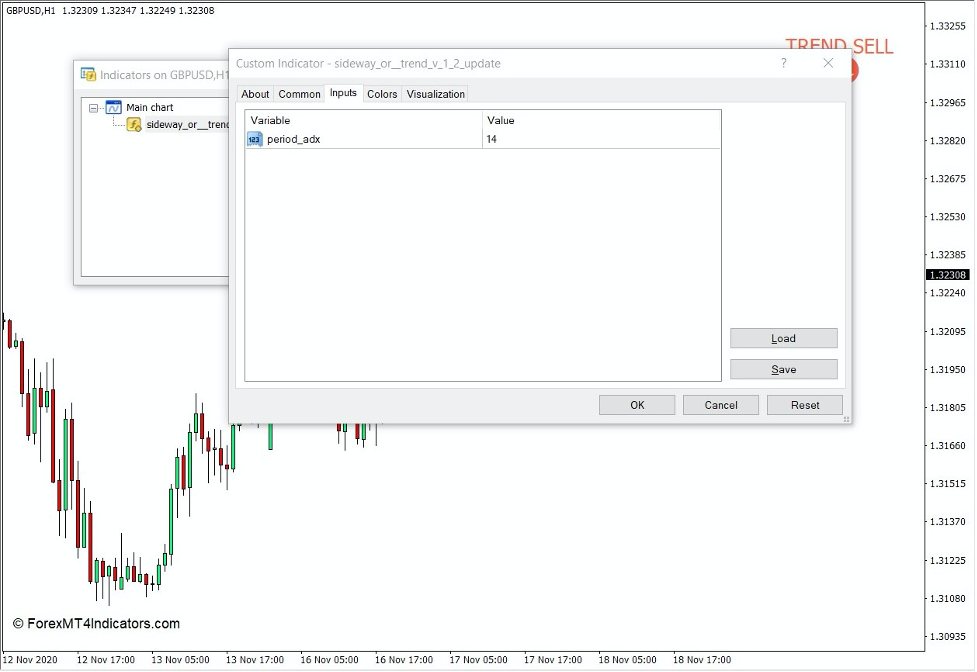
A higher ADX Period basis would make the indicator more stable yet less responsive. On the other hand, a lower ADX Period basis would make the indicator more responsive yet less stable. The ADX indicator is usually used with a 14-period basis, which is what the Sideways or Trend indicator is preset at.
The Sideways or Trend indicator is not a trend reversal signal indicator. It merely indicates whether the market is trending or not, and which way the market is generally moving. As such, it should not be used as a trade entry basis or even a trade setup basis. It should merely be uses as trend direction filter.
Traders can opt not to trade whenever the indicator has labeled the chart as SIDEWAYS and trade only when it labels TREND. Traders can also trade exclusively in the direction of the trend for better accuracy.
Conclusion
The Sideways or Trend indicator can be a useful trend direction filter as it would give traders a hint whether the market is currently suitable for a trend following trade setup or not and which direction the market is moving.
However, traders can also use the classic ADX indicator. The difference would be that the ADX indicator can be more complex, while the Sideways or Trend indicator simplifies its indication by labeling the chart.
MT4 Indicators – Download Instructions
Sideways or Trend Indicator for MT4 is a Metatrader 4 (MT4) indicator and the essence of this technical indicator is to transform the accumulated history data.
Sideways or Trend Indicator for MT4 provides for an opportunity to detect various peculiarities and patterns in price dynamics which are invisible to the naked eye.
Based on this information, traders can assume further price movement and adjust their strategy accordingly. Click here for MT4 Strategies
Recommended Forex Metatrader 5 Trading Platform
- Free $30 To Start Trading Instantly
- Deposit Bonus up to $5,000
- Unlimited Loyalty Program
- Awards Winning Trading Broker

Click Here for Step By Step XM Trading Account Opening Guide
How to install Sideways or Trend Indicator for MT4.mq4?
- Download Sideways or Trend Indicator for MT4.mq4
- Copy Sideways or Trend Indicator for MT4.mq4 to your Metatrader Directory / experts / indicators /
- Start or restart your Metatrader 4 Client
- Select Chart and Timeframe where you want to test your MT4 indicators
- Search “Custom Indicators” in your Navigator mostly left in your Metatrader 4 Client
- Right click on Sideways or Trend Indicator for MT4.mq4
- Attach to a chart
- Modify settings or press ok
- Indicator Sideways or Trend Indicator for MT4.mq4 is available on your Chart
How to remove Sideways or Trend Indicator for MT4.mq4 from your Metatrader Chart?
- Select the Chart where is the Indicator running in your Metatrader 4 Client
- Right click into the Chart
- “Indicators list”
- Select the Indicator and delete
Sideways or Trend Indicator for MT4 (Free Download)
Click here below to download:
La entrada Sideways or Trend Indicator for MT4 se publicó primero en ForexMT4Indicators.com.